Posts mit dem Label GPS werden angezeigt. Alle Posts anzeigen
Posts mit dem Label GPS werden angezeigt. Alle Posts anzeigen
2009-03-11
Web Site cut off
My web site www.oe-files.de is currently not reachable. This means that neither the Earthquake Mashup nor the Garmin Training Center converter are usable. Some images shown in this blog are also affected. I hope the site will be back again tomorrow.
Update: The site is back, everything is fine at the moment. Let's see what's next... I hope the Timeline widget on my Earthquake Mashup will not make me look stupid again.
Does anybody know a good and reliable registrar? After moving the physical location of my server from Lycos to another provider some months ago, I recently had to change the registrar of my domain as well. The initial registrar did a terrible job (by trying to sell me a complete web hosting solution, instead of just registering my domain). My site was unreachable for half a day back then. I switched immediately to another company. Now I am accused by my current registrar to not have paid for the domain. That is technically correct, unfortunately, he did not manage to send me an invoice or a first reminder. Only when I asked today why the DNS entry suddenly pointed to the wrong IP address, I received a final reminder. It seems there are only bozos and braindeads in the telecommunications business. And I should know, I worked in that industrtry for some two years...

2009-02-08
Fly with me: TCX2KML can show recorded altitude
... much easier than before. Although my Training Center to Google Earth Converter already had an option to show certain recorded tracks at their actual altitude instead of sticking them to the ground, this feature was rarely used. Probably, because it was not obvious how to activate it - you had to read my web page, it was a bit cumbersome - you had to edit the comment fields of the desired Activities in Training Center, and for some users - those using Training Center on a Macintosh - it was not possible to use at all.
But this has changed now, thanks to Norman Warthmann bringing my attention to the problems of Mac users. Now the converter has an additional option, which can be selected via the web page. It switches to "altitude mode" for all recorded tracks. As you can export single Activities from Training Center for some time now, such a global option is not much of a problem any more.
So, go, err..., fly ahead. Record some nice airborne activities and view them in Google Earth. I am looking for good examples of tracks recorded during paragliding, skydiving, aerobatics or whatever you do up in the air. I'd like to publish a more exciting demonstration on my web page. Because let's face it: Anything is more exciting than a commercial flight from Madrid to Düsseldorf...
2008-06-01
Your Mileage May Vary - TCX2KML Crosses the Atlantic
My Training Center to Google Earth Converter is used quite actively, from all over the world. That's the great thing about a global Internet: Somewhere is always the right weather for running, biking or hiking. And if not, some people have taken a GPS on their ski trip.
But for some of these global users, the figures shown by the converter are quite odd. They ran the 26 miles and some yards of a marathon and wondered, what 42.195 kilometers are. They cycled with an average speed of 16 miles per hour and had no idea, how fast 25.7 km/h really are.
The metric system was a natural choice for the converter: The data exported by Training Center uses it, and many countries (including mine) have adopted it. But of course there are some deviators. We all know the consequences, but who's to argue?
Anywho, I had imperial units on my todo list for the converter - but not with a high priority. Luckily for all those waiting for this feature, NeilFred Picciotto took the initiative and sent me a patch for an additional parameter. Thanks a lot! I was delighted to add it to my converter. Not only is this a nice feature for many users, but I can also add a new sport to the list of activities the converter is used for: NeilFred records his unicycle tours by GPS. How cool is that?
I have updated the converter page to let the user choose between metric and imperial units. While at it, I tried the Google Earth plugin to display the result, but had some troubles with it. But I guess that will be the next feature to add. Stay tuned.
Please let me know, how you like this extension. And yes, adding other units wouldn't be that hard, NeilFred's patch allows easy addition of more.
2007-11-20
Training Center Converters
Garmin recently released a new version of Training Center, which added a nice feature: Direct export of trainings to Google Earth. So I was anxious to see, if this would obsolete my own converter. To get the complete picture, I decided to compare several converters that are available on the web. Of course I am a little biased, but just wait and see...
The contenders are
Noncompetitive participant is foreconv, which was not able to convert the format exported by the current version of Training Center. If you want to do the conversion yourself (maybe even with another converter), you can download the history file exported from TC.
I have to admit that this comparison is not really fair. All programs have different scopes and do a lot of different things. GPSies and GPS Visualiser can read and write many different formats, compared to my converter which reads TCX and writes KML exclusively. But let's have a look anyway.
Garmin Training Center
download KMZ file
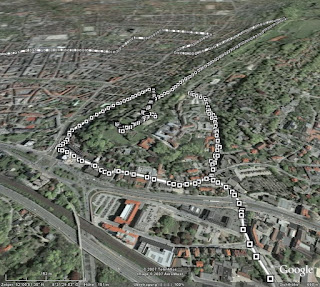 The big advantage is of course, that you don't need any intermediate steps, like exporting a history file from TC, uploading this to one of the other converters and then loading it into Google Earth. All the data is present in the generated file (like time or distance elapsed, heart rate and cadence), alas only in text form. The track consists of many dots, which display the information when clicked on. Only the track itself is shown - if you can see it through all the small icons.
GPSies
download KML file
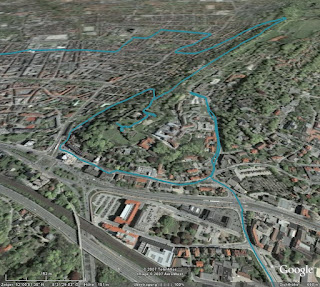 GPSies does far more than just converting various input formats (among them GPX, TCX and PCX5) to different output formats (Google Maps, Google Earth and many GPS applications), it allows you to store your tracks and share them with other people. It is a big community of GPS users.
But for now I am only interested in the converter. The first problem was, that it did not accept the current format exported by Training Center. But GPSies uses the Garmin Communicator Plugin, which allows direct upload from the GPS device to a web application, so I used this method. Unfortunately, only the track is visualised, without any further information.
GPS Visualiser
download simple KMZ file
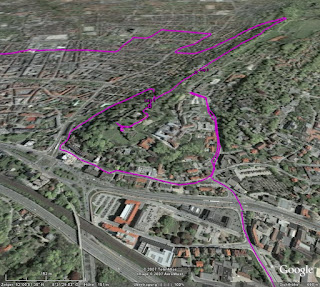 Like GPSies, this application can convert between many, many formats. Actually, it has two interfaces: A simple one and a more complex one. In the simple one, you just upload your file and the resulting KMZ file looks very much like the result from GPSies. The fun starts when you use the complex interface.
download complex KMZ file
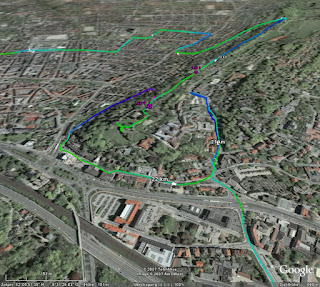 In this interface, you can configure many aspects of the conversion. For example, you can insert distance markers at given intervals, which are shown as small arrows indicating the direction. Or you can colorise the track according to further data, like speed, altitude, or, as shown in the example above, heart rate. You can tune and twist nearly every aspect of the resulting file.
Garmin Training Center to KML Converter
download KML file
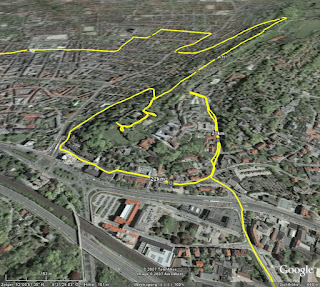 My own stab at this subject tries to visualise as many data as possible, but without scaring off the user with a complex interface. All data is put into the generated KML file, and you can select in Google Earth, which part you want to see. The image above shows the basic track and distance markers (which are shown only at a fixed distance of one kilometer).
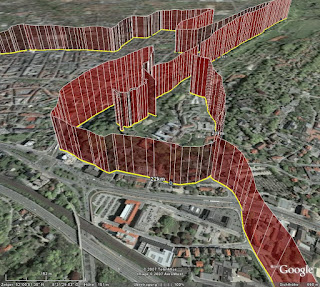 Optionally, you can display heart rate (as above) or cadence, if you have the appropriate sensors. Unlike GPS Visualiser, I choose to display this information with "walls" instead of colors (mainly because this was easier to do in XSLT). I think both methods have their pros and cons, YMMV.
Conclusion
As I said, I am severly biased. Considering my personal requirements, i.e. showing my GPS data in Google Earth, my winner is GPS Visualiser, but of course I have a soft spot for my own converter. I think in terms of ease of use, I can outrun GPS Visualiser. Another aspect is, that my converter (thanks to XSLT) seems to be very robust against changes of the export format of Training Center. GPSies (and foreconv) had problems converting the new format, while my converter needed no change. But of course, this is just as much luck as anything.
The contenders are
Noncompetitive participant is foreconv, which was not able to convert the format exported by the current version of Training Center. If you want to do the conversion yourself (maybe even with another converter), you can download the history file exported from TC.
I have to admit that this comparison is not really fair. All programs have different scopes and do a lot of different things. GPSies and GPS Visualiser can read and write many different formats, compared to my converter which reads TCX and writes KML exclusively. But let's have a look anyway.
Garmin Training Center
download KMZ file
 The big advantage is of course, that you don't need any intermediate steps, like exporting a history file from TC, uploading this to one of the other converters and then loading it into Google Earth. All the data is present in the generated file (like time or distance elapsed, heart rate and cadence), alas only in text form. The track consists of many dots, which display the information when clicked on. Only the track itself is shown - if you can see it through all the small icons.
GPSies
download KML file
 GPSies does far more than just converting various input formats (among them GPX, TCX and PCX5) to different output formats (Google Maps, Google Earth and many GPS applications), it allows you to store your tracks and share them with other people. It is a big community of GPS users.
But for now I am only interested in the converter. The first problem was, that it did not accept the current format exported by Training Center. But GPSies uses the Garmin Communicator Plugin, which allows direct upload from the GPS device to a web application, so I used this method. Unfortunately, only the track is visualised, without any further information.
GPS Visualiser
download simple KMZ file
 Like GPSies, this application can convert between many, many formats. Actually, it has two interfaces: A simple one and a more complex one. In the simple one, you just upload your file and the resulting KMZ file looks very much like the result from GPSies. The fun starts when you use the complex interface.
download complex KMZ file
 In this interface, you can configure many aspects of the conversion. For example, you can insert distance markers at given intervals, which are shown as small arrows indicating the direction. Or you can colorise the track according to further data, like speed, altitude, or, as shown in the example above, heart rate. You can tune and twist nearly every aspect of the resulting file.
Garmin Training Center to KML Converter
download KML file
 My own stab at this subject tries to visualise as many data as possible, but without scaring off the user with a complex interface. All data is put into the generated KML file, and you can select in Google Earth, which part you want to see. The image above shows the basic track and distance markers (which are shown only at a fixed distance of one kilometer).
 Optionally, you can display heart rate (as above) or cadence, if you have the appropriate sensors. Unlike GPS Visualiser, I choose to display this information with "walls" instead of colors (mainly because this was easier to do in XSLT). I think both methods have their pros and cons, YMMV.
Conclusion
As I said, I am severly biased. Considering my personal requirements, i.e. showing my GPS data in Google Earth, my winner is GPS Visualiser, but of course I have a soft spot for my own converter. I think in terms of ease of use, I can outrun GPS Visualiser. Another aspect is, that my converter (thanks to XSLT) seems to be very robust against changes of the export format of Training Center. GPSies (and foreconv) had problems converting the new format, while my converter needed no change. But of course, this is just as much luck as anything.
2007-10-23
Update: Garmin Training Center to Google Earth
My Training Center to Google Earth converter is now able to display tracks in their recorded altitude. While this is not relevant for ground based activities, if you go paragliding, ultralight flying or canonball riding, this might be an interesting additional information for you. Please check the converter's web page how to turn on this mode.
I used a recent trip to Madrid to collect some data to demonstrate this feature. Alas, just to find out, that the barometric altimeter of my GPS device of course gives wrong readings in a pressurised cabin. The plane was not flying at an altitude of 2000 meters, it was a little bit higher. But you get the idea. By the way: Flying directly over the city center of Paris at night time is quite an experience :)

2007-08-19
Garmin Training Center to Google Earth Converter
I have enhanced my "Garmin Training Center to KML converter", which I mentioned some time ago for the first time. If you have a GPS appliance and use Training Center to manage your activities and courses, you can view them in Google Earth.
The converter is based on XSLT, as both the input and the output format are XML. You can either download the XSLT script or upload your .tcx files on my website. As a preview, download some of my rides of the last weeks.
2007-07-20
Neues Spielzeug
Ich weiß nicht, ob ich es schon mal erwähnt habe, aber ich fahre gerne mit dem Rad. Bisher habe ich das mit einem recht konventionellen Tourenrad gemacht, aber ich hatte schon länger den Wunsch, auf etwas sportlicheres umzusteigen. Aber ein echtes Rennrad sollte es eigentlich auch nicht sein, also schaute ich einfach mal beim Fahrradladen meines Vertrauens vorbei, und gleich das erste Modell, das mir präsentiert wurde, war genau das richtige:

Ein "Roadster" der in Leopoldshöhe ansässigen Firma Patria, von der auch schon mein vorheriges Rad stammte. Das besondere ist, dass der Rahmen dort noch selber hergestellt wird, und zwar ganz klassisch aus gemufften Stahlrohren anstatt verschweißtem Aluminium. Da ich auf einen Gepäckträger und Schutzbleche verzichtet habe, ist es erheblich leichter als sein Vorgänger, und sieht dank der schmaleren Reifen trotzdem ziemlich sportlich aus. Genaugenommen war mir das Rad schon vor ein paar Jahren im Laden aufgefallen, daher musste ich jetzt nicht wirklich lange überlegen.
Der Umstieg von der bisherigen 7-Gang-Nabenschaltung auf eine 27-Gang-Kettenschaltung ging recht schnell. Auch die etwas andere Sitzposition gefällt mir deutlich besser (wobei ich noch gespannt bin, welche "Sitzfläche sich im Laufe der Zeit anpasst", die des Brooks-Sattels, oder doch eher meine...). Als nach zwei Wochen und 200 gefahrenen Kilometern die Erstinspektion fällig war, bin ich fast von meinem alten Rad gefallen, als ich es ersatzweise wieder benutzt habe. Da habe ich mich gefragt, wie ich all die Jahre bloß mit dem Teil fahren konnte.
Und wenn ich mit dem Rad unterwegs bin, ist auch immer GPS dabei. Leider hat das alte Gerät im Laufe der Jahre etwas gelitten, und da Garmin gerade ein neues Spielzeug speziell für Radfahrer herausgebracht hatte, habe ich einfach mal zugegriffen:

Links das alte Geko 201, rechts das neue Edge 305. Bei mehr Funktionen und größerem Display ist das Gerät nochmal etwas kleiner geworden. Vor allem habe ich mich dann mal nicht lumpen lassen und gleich die Ausführung mit Pulsmesser und Trittfrequenz-Zähler genommen.
Leider ist das Gerät anscheinend so neu, dass es von der bisher von mir verwendeten Software "Touratech QV" nur unzureichend unterstützt wird. Bisher war ich es gewohnt, mir am Rechner Routen zusammenzuklicken, an das Gerät zu übertragen und dann abzufahren. Das Edge ist für diese Art der Benutzung eigentlich garnicht gedacht, sondern es soll ein Trainingsgerät sein, um seine Leistung auf gleichbleibenden (und vor allem bereits bekannten) Strecken zu kontrollieren und zu verbessern. So kann man eine einmal gefahrene Route wiederholen und quasi "gegen sich selbst" als virtuellen Gegner antreten.
Zentrale Software dabei ist das Garmin Training Center:

Damit kann man sich gefahrene Strecken ansehen und diverse Parameter analysieren. Netterweise werden vor allem Herz- und Trittfrequenz vom Edge kontinuierlich aufgezeichnet, so dass man sich diese auch im Nachhinein ansehen kann. Es sind sogar komplette Trainingsprogramme enthalten. Ob ich die allerdings wirklich mal ernsthaft absolviere, weiß ich noch nicht.
Leider ist es aber eben nicht mit diesem Programm möglich, Routen im voraus zu erstellen. Das geht zwar im Prinzip mit dem Programm "MapSource" von Garmin, aber es gibt keine Möglichkeit, Routen vom einen in das andere Programm zu übertragen. Da muss Garmin meiner Meinung nach noch gaaaaanz kräftig nachbessern. Erst mit Hilfe von zusätzlicher (und zum Glück freier) Software ist es möglich, mit MapSource oder TTQV erstellte Routen in ein Format zu konvertieren, das vom Training Center verstanden wird.
Leider kann man im Training Center aber nicht mehrere Aufzeichnungen gleichzeitig darstellen, und die getrennte Sicht auf Strecke und Leistungsdaten erleichtert die Analyse auch nicht unbedingt. Netterweise kann man aber die gesamten Daten in einer XML-Datei ablegen, und damit sind es nur noch ein paar Zeilen XSLT, das ganze in Google Earth darzustellen. In dieser KML-Datei sind meine "erfahrenen" Strecken der ersten zwei Wochen dargestellt. Auf Wunsch kann man sich den Puls und/oder die Trittfrequenz mit anzeigen lassen. Und nun kann man auf einmal sehr schön erkennen, an welchen Steigungen der Puls nach oben ging ...

... (und ich erstmal ein paar Minuten pausieren musste, um wieder zu Atem zu kommen) und in welchen (mir unbekannten) Kurven ich mich nicht getraut habe, voll durchzutreten ...

Das ganze läßt sich bestimmt noch weiterentwickeln, nicht zuletzt, weil im Training Center und der XML-Datei noch eine ganze Reihe mehr an Informationen stecken. Alles in allem haben sich die Anschaffungen gelohnt und das Radfahren hat nochmal einen ganz neuen Reiz bekommen.

Ein "Roadster" der in Leopoldshöhe ansässigen Firma Patria, von der auch schon mein vorheriges Rad stammte. Das besondere ist, dass der Rahmen dort noch selber hergestellt wird, und zwar ganz klassisch aus gemufften Stahlrohren anstatt verschweißtem Aluminium. Da ich auf einen Gepäckträger und Schutzbleche verzichtet habe, ist es erheblich leichter als sein Vorgänger, und sieht dank der schmaleren Reifen trotzdem ziemlich sportlich aus. Genaugenommen war mir das Rad schon vor ein paar Jahren im Laden aufgefallen, daher musste ich jetzt nicht wirklich lange überlegen.
Der Umstieg von der bisherigen 7-Gang-Nabenschaltung auf eine 27-Gang-Kettenschaltung ging recht schnell. Auch die etwas andere Sitzposition gefällt mir deutlich besser (wobei ich noch gespannt bin, welche "Sitzfläche sich im Laufe der Zeit anpasst", die des Brooks-Sattels, oder doch eher meine...). Als nach zwei Wochen und 200 gefahrenen Kilometern die Erstinspektion fällig war, bin ich fast von meinem alten Rad gefallen, als ich es ersatzweise wieder benutzt habe. Da habe ich mich gefragt, wie ich all die Jahre bloß mit dem Teil fahren konnte.
Und wenn ich mit dem Rad unterwegs bin, ist auch immer GPS dabei. Leider hat das alte Gerät im Laufe der Jahre etwas gelitten, und da Garmin gerade ein neues Spielzeug speziell für Radfahrer herausgebracht hatte, habe ich einfach mal zugegriffen:

Links das alte Geko 201, rechts das neue Edge 305. Bei mehr Funktionen und größerem Display ist das Gerät nochmal etwas kleiner geworden. Vor allem habe ich mich dann mal nicht lumpen lassen und gleich die Ausführung mit Pulsmesser und Trittfrequenz-Zähler genommen.
Leider ist das Gerät anscheinend so neu, dass es von der bisher von mir verwendeten Software "Touratech QV" nur unzureichend unterstützt wird. Bisher war ich es gewohnt, mir am Rechner Routen zusammenzuklicken, an das Gerät zu übertragen und dann abzufahren. Das Edge ist für diese Art der Benutzung eigentlich garnicht gedacht, sondern es soll ein Trainingsgerät sein, um seine Leistung auf gleichbleibenden (und vor allem bereits bekannten) Strecken zu kontrollieren und zu verbessern. So kann man eine einmal gefahrene Route wiederholen und quasi "gegen sich selbst" als virtuellen Gegner antreten.
Zentrale Software dabei ist das Garmin Training Center:

Damit kann man sich gefahrene Strecken ansehen und diverse Parameter analysieren. Netterweise werden vor allem Herz- und Trittfrequenz vom Edge kontinuierlich aufgezeichnet, so dass man sich diese auch im Nachhinein ansehen kann. Es sind sogar komplette Trainingsprogramme enthalten. Ob ich die allerdings wirklich mal ernsthaft absolviere, weiß ich noch nicht.
Leider ist es aber eben nicht mit diesem Programm möglich, Routen im voraus zu erstellen. Das geht zwar im Prinzip mit dem Programm "MapSource" von Garmin, aber es gibt keine Möglichkeit, Routen vom einen in das andere Programm zu übertragen. Da muss Garmin meiner Meinung nach noch gaaaaanz kräftig nachbessern. Erst mit Hilfe von zusätzlicher (und zum Glück freier) Software ist es möglich, mit MapSource oder TTQV erstellte Routen in ein Format zu konvertieren, das vom Training Center verstanden wird.
Leider kann man im Training Center aber nicht mehrere Aufzeichnungen gleichzeitig darstellen, und die getrennte Sicht auf Strecke und Leistungsdaten erleichtert die Analyse auch nicht unbedingt. Netterweise kann man aber die gesamten Daten in einer XML-Datei ablegen, und damit sind es nur noch ein paar Zeilen XSLT, das ganze in Google Earth darzustellen. In dieser KML-Datei sind meine "erfahrenen" Strecken der ersten zwei Wochen dargestellt. Auf Wunsch kann man sich den Puls und/oder die Trittfrequenz mit anzeigen lassen. Und nun kann man auf einmal sehr schön erkennen, an welchen Steigungen der Puls nach oben ging ...

... (und ich erstmal ein paar Minuten pausieren musste, um wieder zu Atem zu kommen) und in welchen (mir unbekannten) Kurven ich mich nicht getraut habe, voll durchzutreten ...

Das ganze läßt sich bestimmt noch weiterentwickeln, nicht zuletzt, weil im Training Center und der XML-Datei noch eine ganze Reihe mehr an Informationen stecken. Alles in allem haben sich die Anschaffungen gelohnt und das Radfahren hat nochmal einen ganz neuen Reiz bekommen.
2006-07-17
neulich mitten im Nirgendwo
Die moderne Technik hat es der Menschheit ermöglicht, die ungewöhnlichsten Orte zu erreichen: Den Mond, die Tiefsee - oder ein abgelegenes Feld mitten im Lipperland.
Ich bin seit einigen Jahren begeisterter Nutzer eines GPS-Empfängers, der mich auf allen meinen Radtouren begleitet, und mir bei neuen Strecken zuverlässig den Weg weist. Seit GPS ein erschwingliches Hobby geworden ist, das nicht mehr allein Geologen/-graphen/-däten oder Militärangehörigen vorbehalten ist, hat sich eine regelrechte Subkultur entwickelt. Der Trend des Geocaching konnte mich noch sie so recht begeistern, aber als ich vor einigen Jahren über die Website des Degree Confluence Projects gestolpert bin war mir klar: Das machst Du auch mal.
Konfluenzpunkte sind die Schnittpunkte der (ganzzahligen) Längen- und Breitengrade, von denen 33 Stück in Deutschland liegen. Bielefeld befindet sich zwar ziemlich genau auf dem 52. Grad nördlicher Breite, aber dummerweise mindestens so genau zwischen dem 8. und dem 9. Grad östlicher Länge. Der "Halbkonfluenzpunkt" innerhalb Bielefelds dürfte übrigens täglich von mehreren tausend Autos überquert werden. Also hat man als Bielefelder die freie Wahl, entweder den westlichen K-Punkt bei Warendorf oder den östlichen hinter Lemgo zu besuchen. Ich habe mich am Wochenende für letzteren entschieden.
 Nach ziemlich genau zwei Stunden gemütlichen Radfahrens (ich war extra früh gestartet, um der Mittagshitze zu entgehen) hatte ich den Ort Hagendonop erreicht. Die erste Frage war dann: Wo liegt jetzt der Konfluenzpunkt genau?
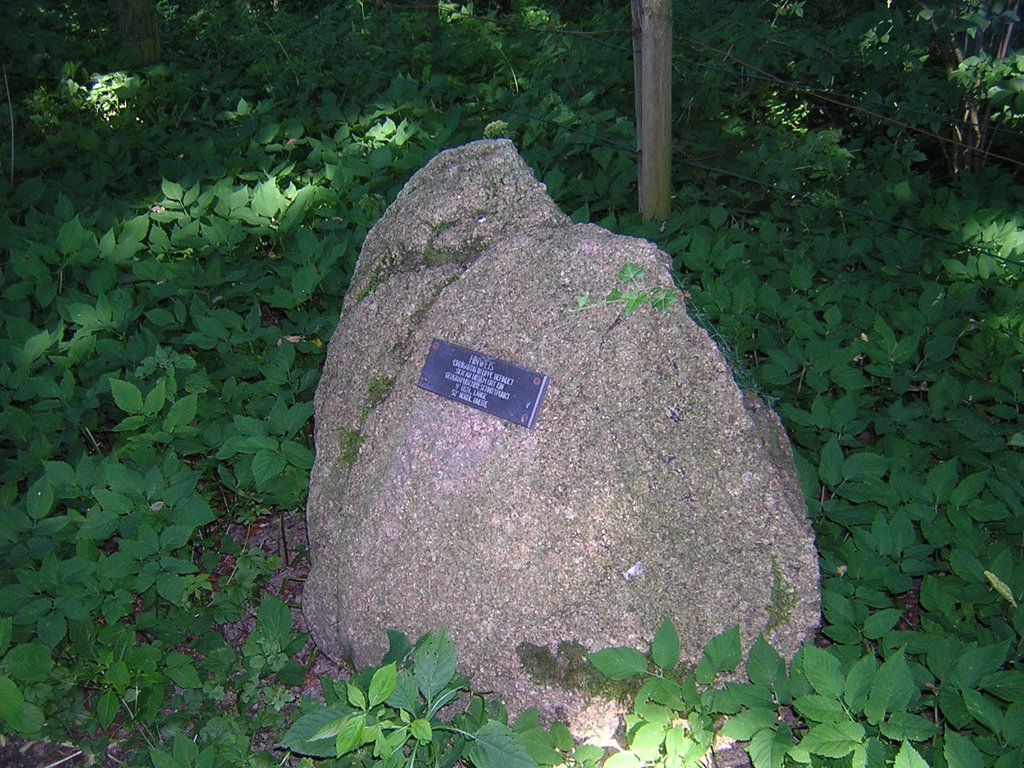
 Die Antwort ist schwerer, als man vielleicht zunächst denkt, trotz oder gerade wegen GPS. Denn die exakte Lage des Schnittpunkts hängt davon ab, welches Koordinatensystem man zugrunde legt. Geht man nach dem amtlichen deutschen System ("Potsdam-Datum" genannt), dann ist der Punkt netterweise durch einen kleinen Findling mit einer Plakette markiert.Zumindest so in etwa, mein GPS-Gerät war der Meinung, dass der Stein ein paar Meter vom richtigen Ort entfernt ist - ich hab' in aber trotzdem mal dort liegen lassen...
 Das in der GPS-Welt übliche Koordinatensystem nennt sich WGS84, und wenn man danach geht, wird der Konfluenzpunkt 52N/9E durch keinerlei Stein oder sonstiges markiert, sondern liegt mitten in einem Klee-Feld, rund 180 Meter von dem Findling entfernt. Auch sonst kommt der Ort einem nicht irgendwie besonders vor, und doch scheint er auch für andere Leute eine magische Anziehungskraft zu haben. Wenigstens einen weiteren Trampelpfad
  konnte ich erkennen (auf dem letzten Foto links zu sehen), ich war also anscheinend nicht der erste an diesem Tag, der erleben wollte, wie sämtliche Nachkommastellen auf dem GPS-Gerät auf Null springen. Während ich gerade so mittem im Klee stand, wurden zwei der Strohballen vom benachbarten Feld abgeholt, und ich
 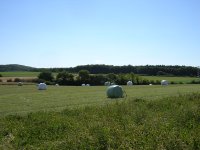 rechnete schon mit einen Anpfiff, weil ich schliesslich Privatgrundstück betreten hatte. Aber vermutlich kannten die Besitzer das schon und hatten sich damit abgefunden, dass öfters irgendwelche Verrückten auftauchen, die aber im Grunde harmlos sind.
Mal schauen, ob ich mir den anderen Konfluenzpunkt auch noch vornehme, oder ob das genug Aufregung für einen Sommer war. Auf alle Fälle werde ich noch ein wenig weiter mit Google Maps und der zugehörigen API experimentieren. Ich habe den Eindruck, dass man damit wirklich nette Sachen machen kann.
rechnete schon mit einen Anpfiff, weil ich schliesslich Privatgrundstück betreten hatte. Aber vermutlich kannten die Besitzer das schon und hatten sich damit abgefunden, dass öfters irgendwelche Verrückten auftauchen, die aber im Grunde harmlos sind.
Mal schauen, ob ich mir den anderen Konfluenzpunkt auch noch vornehme, oder ob das genug Aufregung für einen Sommer war. Auf alle Fälle werde ich noch ein wenig weiter mit Google Maps und der zugehörigen API experimentieren. Ich habe den Eindruck, dass man damit wirklich nette Sachen machen kann.
 Nach ziemlich genau zwei Stunden gemütlichen Radfahrens (ich war extra früh gestartet, um der Mittagshitze zu entgehen) hatte ich den Ort Hagendonop erreicht. Die erste Frage war dann: Wo liegt jetzt der Konfluenzpunkt genau?
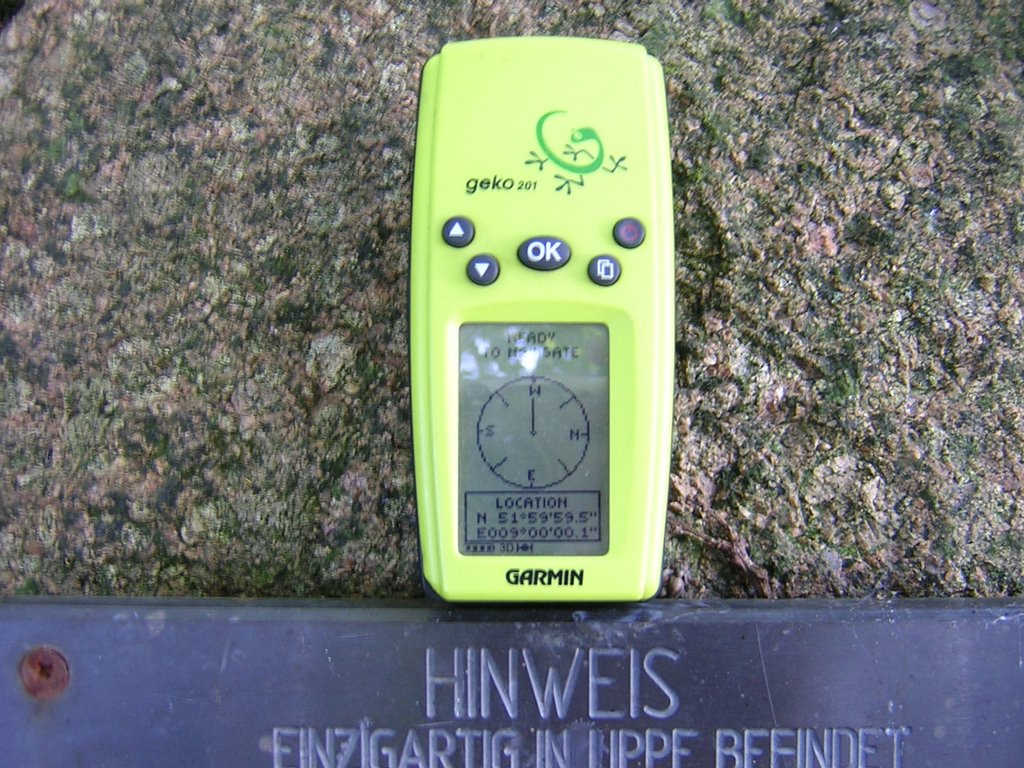 Die Antwort ist schwerer, als man vielleicht zunächst denkt, trotz oder gerade wegen GPS. Denn die exakte Lage des Schnittpunkts hängt davon ab, welches Koordinatensystem man zugrunde legt. Geht man nach dem amtlichen deutschen System ("Potsdam-Datum" genannt), dann ist der Punkt netterweise durch einen kleinen Findling mit einer Plakette markiert.Zumindest so in etwa, mein GPS-Gerät war der Meinung, dass der Stein ein paar Meter vom richtigen Ort entfernt ist - ich hab' in aber trotzdem mal dort liegen lassen...
 Das in der GPS-Welt übliche Koordinatensystem nennt sich WGS84, und wenn man danach geht, wird der Konfluenzpunkt 52N/9E durch keinerlei Stein oder sonstiges markiert, sondern liegt mitten in einem Klee-Feld, rund 180 Meter von dem Findling entfernt. Auch sonst kommt der Ort einem nicht irgendwie besonders vor, und doch scheint er auch für andere Leute eine magische Anziehungskraft zu haben. Wenigstens einen weiteren Trampelpfad
 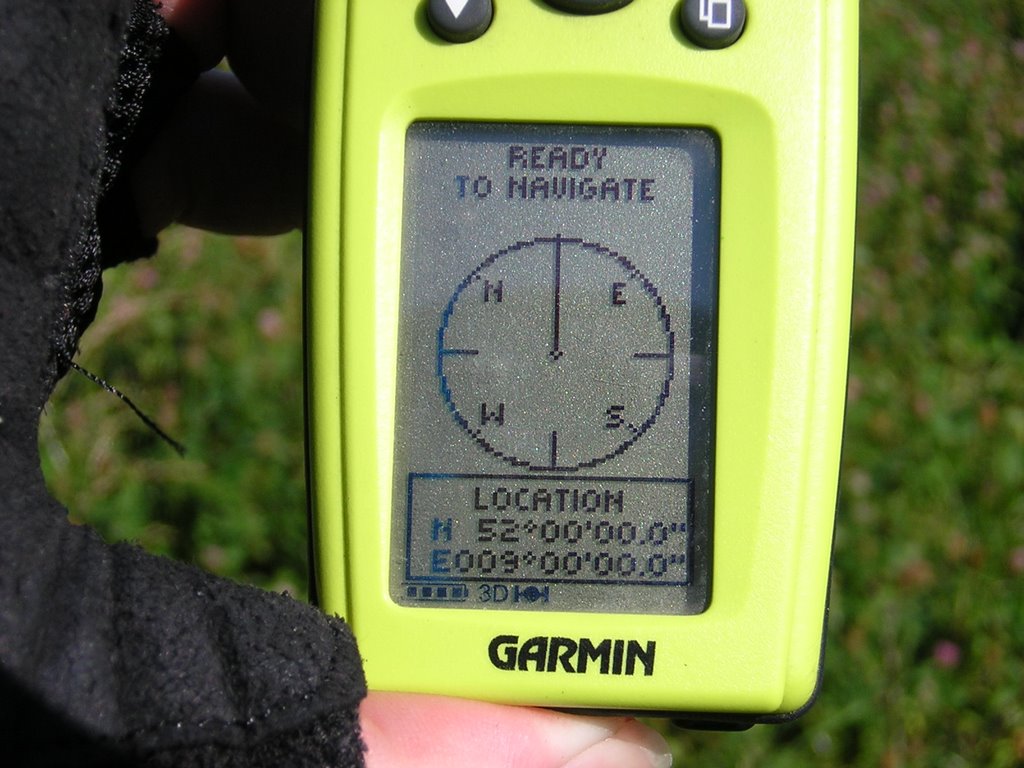 konnte ich erkennen (auf dem letzten Foto links zu sehen), ich war also anscheinend nicht der erste an diesem Tag, der erleben wollte, wie sämtliche Nachkommastellen auf dem GPS-Gerät auf Null springen. Während ich gerade so mittem im Klee stand, wurden zwei der Strohballen vom benachbarten Feld abgeholt, und ich
  rechnete schon mit einen Anpfiff, weil ich schliesslich Privatgrundstück betreten hatte. Aber vermutlich kannten die Besitzer das schon und hatten sich damit abgefunden, dass öfters irgendwelche Verrückten auftauchen, die aber im Grunde harmlos sind.
Mal schauen, ob ich mir den anderen Konfluenzpunkt auch noch vornehme, oder ob das genug Aufregung für einen Sommer war. Auf alle Fälle werde ich noch ein wenig weiter mit Google Maps und der zugehörigen API experimentieren. Ich habe den Eindruck, dass man damit wirklich nette Sachen machen kann.
rechnete schon mit einen Anpfiff, weil ich schliesslich Privatgrundstück betreten hatte. Aber vermutlich kannten die Besitzer das schon und hatten sich damit abgefunden, dass öfters irgendwelche Verrückten auftauchen, die aber im Grunde harmlos sind.
Mal schauen, ob ich mir den anderen Konfluenzpunkt auch noch vornehme, oder ob das genug Aufregung für einen Sommer war. Auf alle Fälle werde ich noch ein wenig weiter mit Google Maps und der zugehörigen API experimentieren. Ich habe den Eindruck, dass man damit wirklich nette Sachen machen kann.
2005-03-21
Pädagogische Woche auf Norderney
... oder: Kann mal jemand den Wind abstellen?
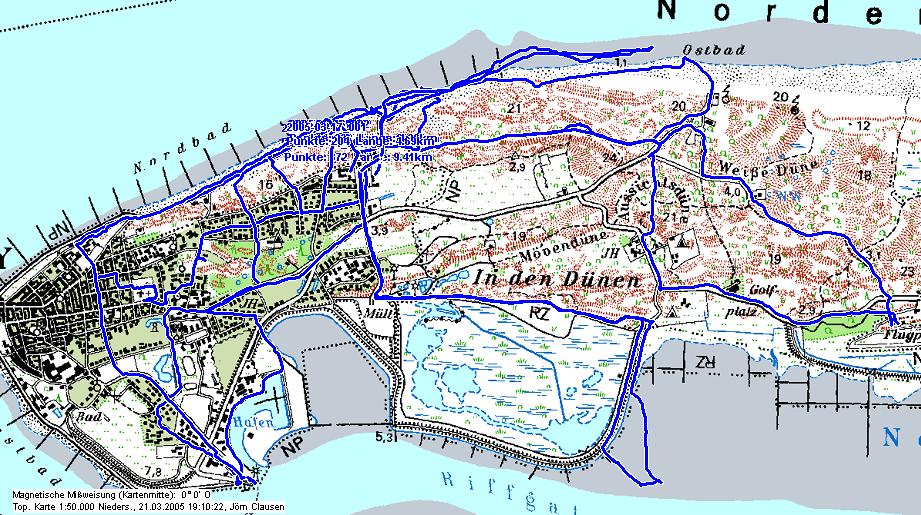
Fünf Tage im Lippischen Landschulheim auf Norderney, das bedeutet Meer, Sand, Wind, Möwen - und am Ar*** der Welt zu sein. Die einzige Beschäftigung, die die Insel IMHO anbietet, ist stundenlanges Herumgelaufe. Aber das ist dann auch garnicht mal so schlecht, vor allem, wenn man über das passende technische Equipment verfügt. Die Nordsee direkt vor der Haustür ist schon irgendwie witzig.
 an der Nordseeküste
 der Leuchtturm - linksdrehend
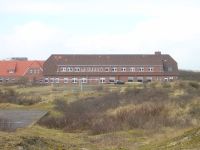 exteritoriales Lipperland
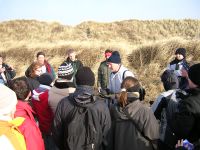 Seemannsgarn von Pauli
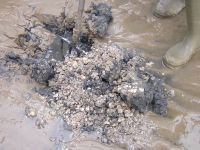 Leben unter dem Meer
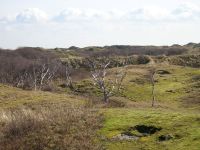 das wilde Landesinnere
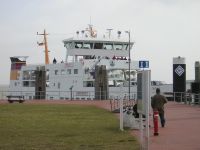 das Postboot ist gegen die Insel gebumst
Jetzt sind erstmal Ferien, und Anfang April geht's dann richtig los. Dann beginnt der Ausbildungsunterricht in Steinheim, und ich werde zum ersten mal für längere Zeit auf Schüler losgelassen.
das Postboot ist gegen die Insel gebumst
Jetzt sind erstmal Ferien, und Anfang April geht's dann richtig los. Dann beginnt der Ausbildungsunterricht in Steinheim, und ich werde zum ersten mal für längere Zeit auf Schüler losgelassen.
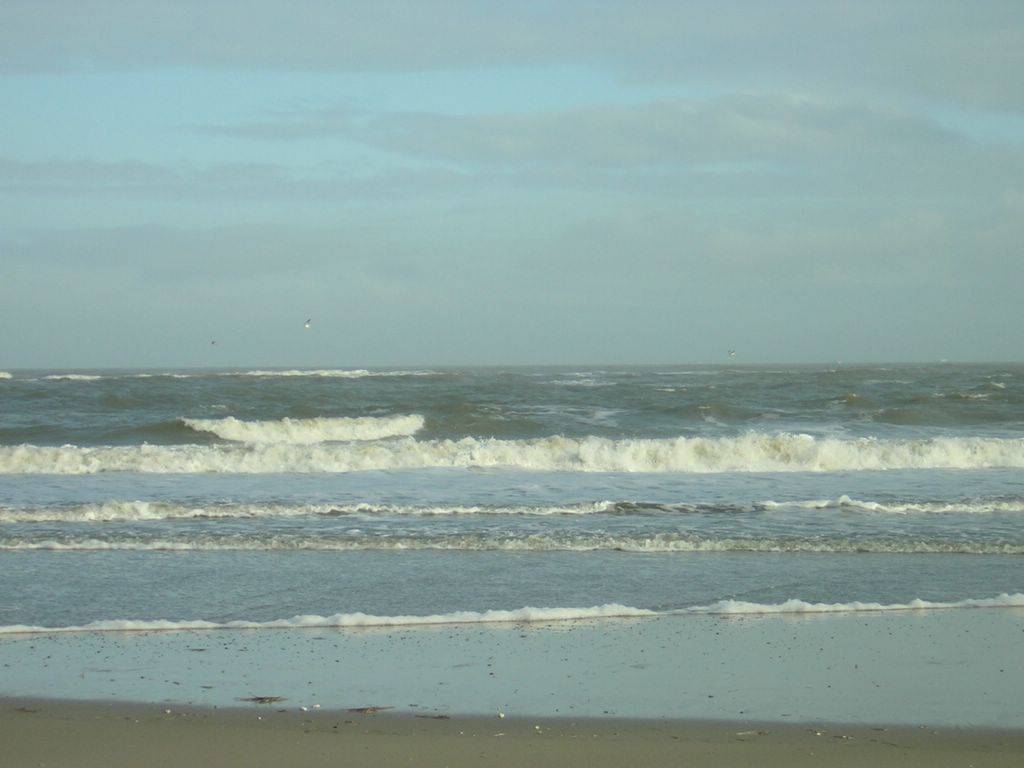 an der Nordseeküste
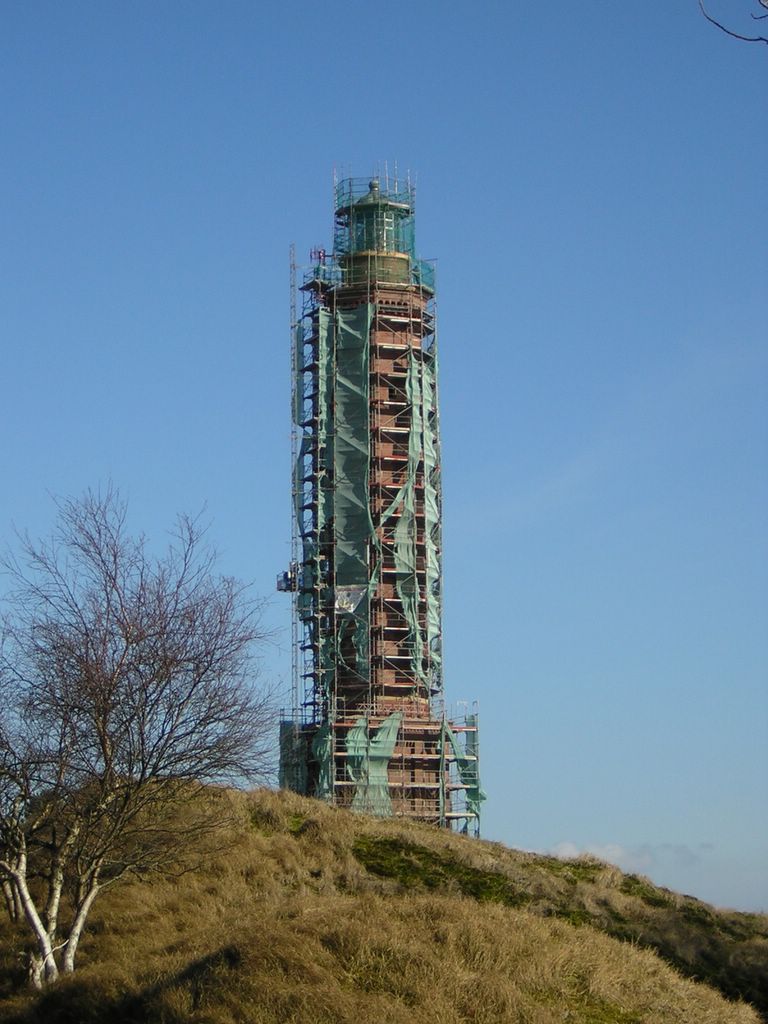 der Leuchtturm - linksdrehend
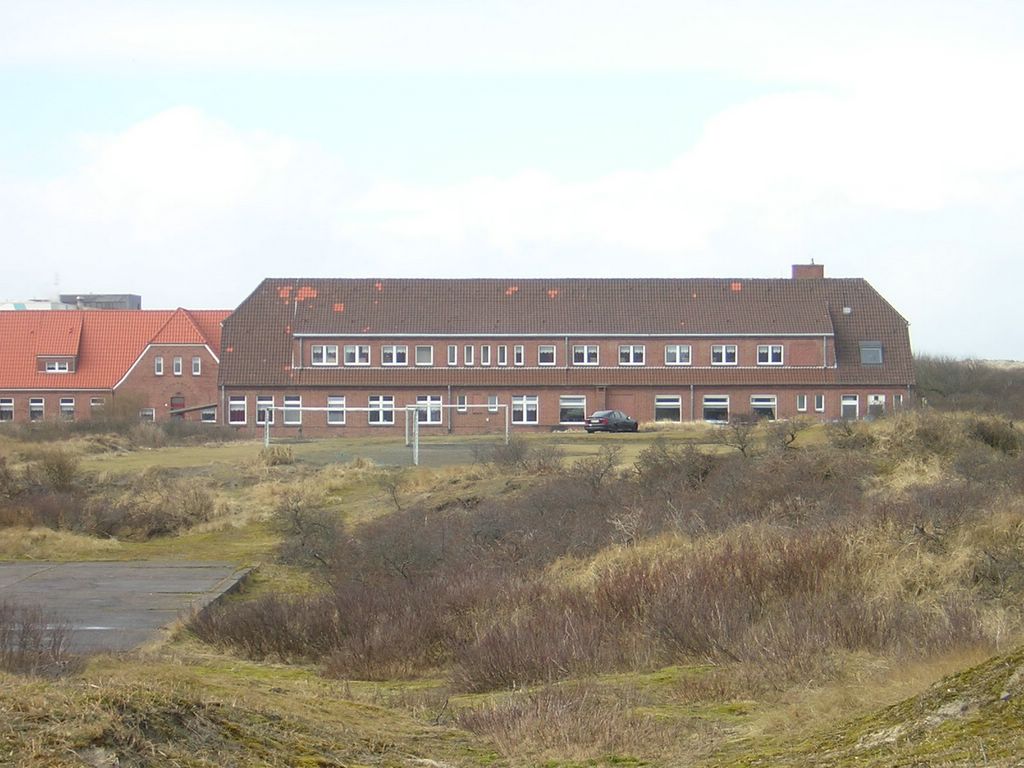 exteritoriales Lipperland
 Seemannsgarn von Pauli
 Leben unter dem Meer
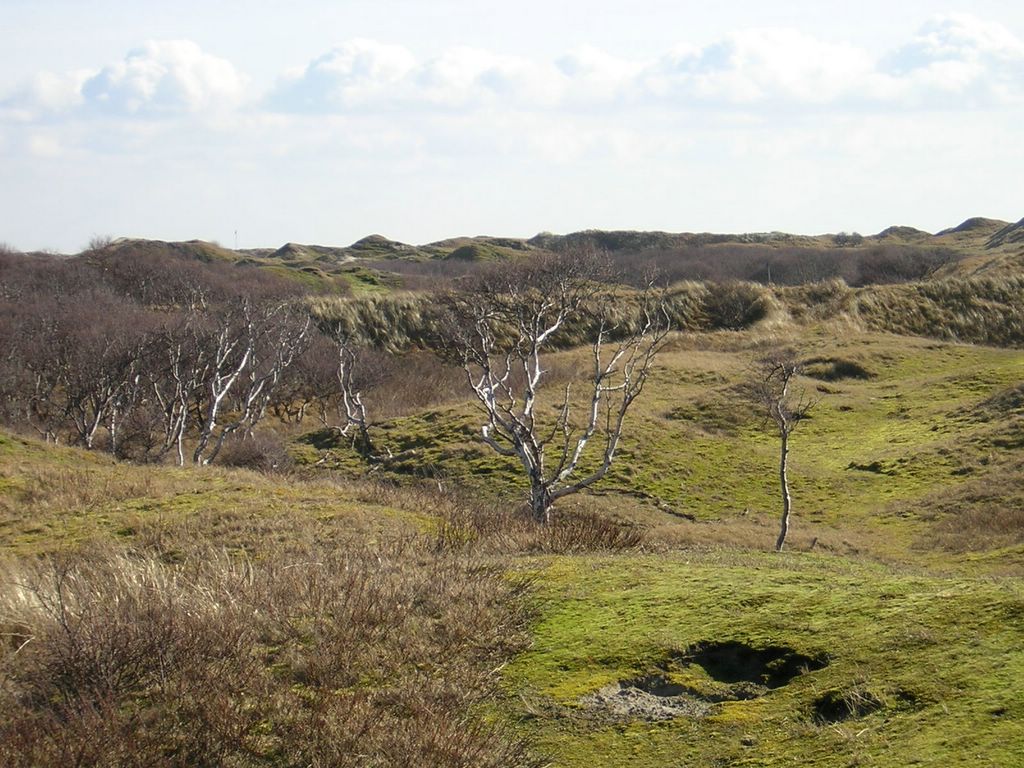 das wilde Landesinnere
 das Postboot ist gegen die Insel gebumst
Jetzt sind erstmal Ferien, und Anfang April geht's dann richtig los. Dann beginnt der Ausbildungsunterricht in Steinheim, und ich werde zum ersten mal für längere Zeit auf Schüler losgelassen.
das Postboot ist gegen die Insel gebumst
Jetzt sind erstmal Ferien, und Anfang April geht's dann richtig los. Dann beginnt der Ausbildungsunterricht in Steinheim, und ich werde zum ersten mal für längere Zeit auf Schüler losgelassen.
Abonnieren
Posts (Atom)